
No-Reply Email Explained: When & Why You Should Use Them
These are called no-reply emails, and they're everywhere. Let's break down exactly what they are, why businesses use them, and when they're a good idea (and when they're not).
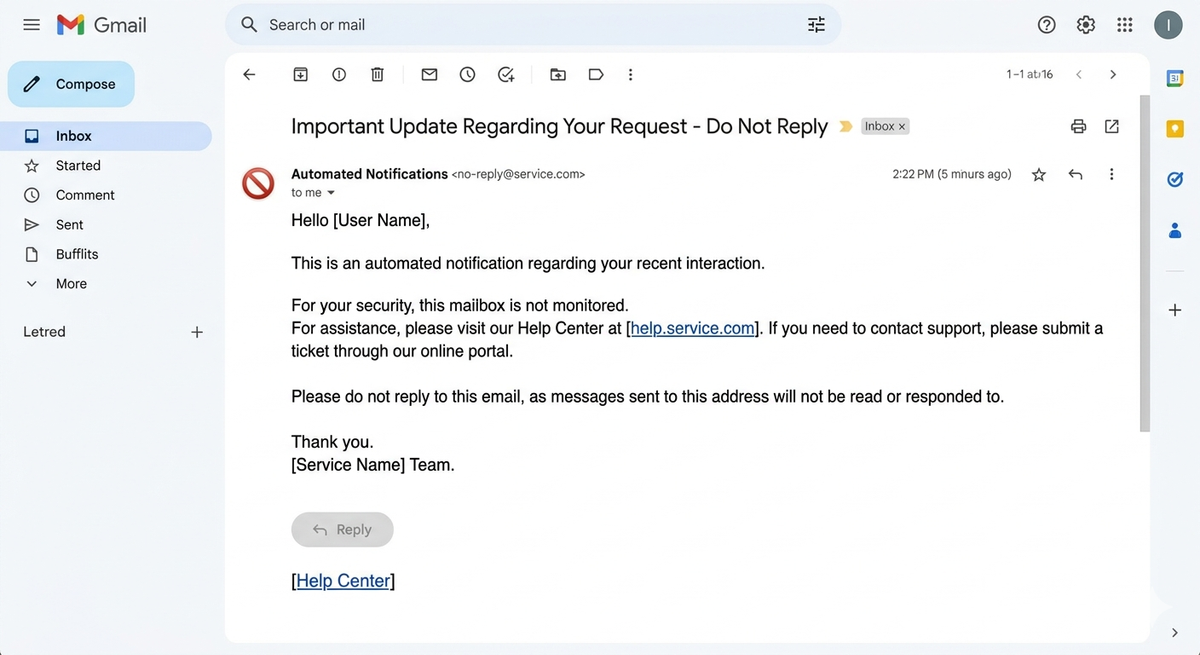
Have you ever gotten an email from something like this [email protected] and wondered, "Wait—can I even respond to this?" You're not alone.
These are called no-reply emails, and they're everywhere. Let's break down exactly what they are, why businesses use them, and when they're a good idea (and when they're not).
So… What Even Is a No-Reply Email?
Think of a no-reply email like a loudspeaker announcement at a store. The store is talking to you — but it's not set up to listen back.
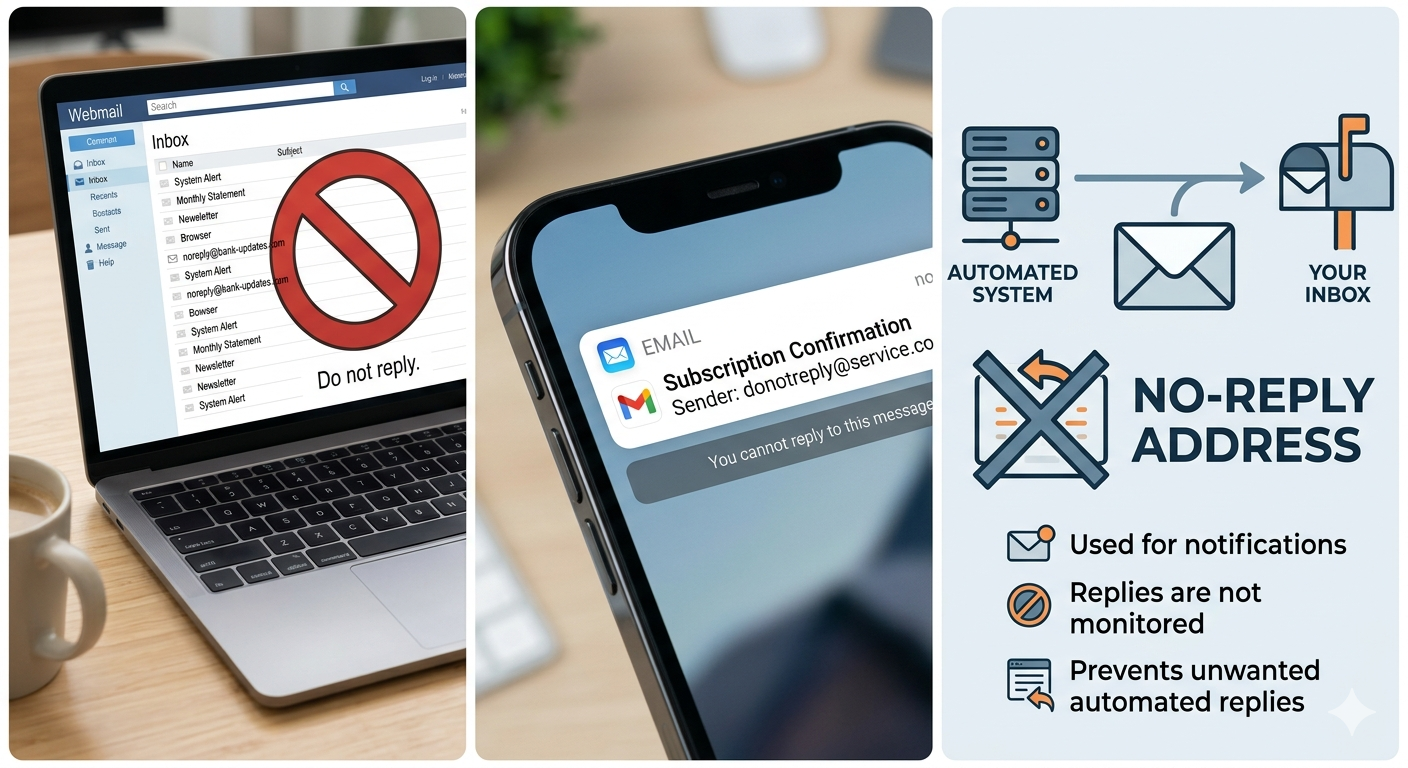
A no-reply email address (usually written as [email protected] 'no-reply@') is an email that can send messages but is not set up to receive any replies. If you try to write back, one of two things happens:
- Your message gets automatically deleted before anyone reads it, or
- You get a bounce-back message saying something like "This inbox is not monitored."
You've probably seen these kinds of emails before, like the following:
- A shipping confirmation after buying something online
- A password reset link
- A receipt or invoice from a service you use
- A reminder that your subscription is renewing
These are all one-way messages. The company just needs to inform you — they don't need a reply.
Why Do Companies Use No-Reply Emails?
Fair question!
Here's the thing — big companies send thousands of these automatic emails every single day. Imagine if every single person replied to them. It would be chaos.
Here are the main reasons businesses go this route:
1. To Avoid an Inbox Explosion
When you send out thousands of automated emails, you're going to get a lot of replies back — people saying "thanks", "unsubscribe me", or even just out-of-office auto-responses. Using a no-reply address keeps that flood from hitting anyone's inbox.
2. To Keep Spam Out
Automated emails attract automated responses — and a lot of that is spam or junk. A no-reply setup acts like a shield, keeping the clutter away from the company's mail servers.
3. For Security Reasons
Believe it or not, letting people reply to a business email can sometimes open the door to shady stuff — like people sending harmful files or phishing attempts disguised as customer messages. No-reply addresses cut that risk.
4. Because the Message Doesn't Need a Reply
Some emails are purely informational. Your order shipped. Your password was changed. Your bill is ready. There's nothing to respond to — so why even allow it?
5. To Steer You Towards the Right Support Channel
Instead of letting you reply to an automated email (where no one's watching), companies would rather direct you to a help centre, live chat, or a dedicated support email where your question actually gets seen and answered.
The Good and the Bad
Like most things, no-reply emails have both upsides and downsides. Here's a quick breakdown:
The Good Stuff
- Less inbox mess
- No wave of random replies or auto-responses flooding the system
- Cleaner operations
- Automated emails run smoothly without human intervention needed
- Better security
- Fewer chances for bad actors to sneak in through a reply
- Totally fine for simple notifications
- When you just need to inform someone, it does the job perfectly
The Not-So-Good Stuff
- Frustrating for recipients — If someone has a question or a problem, hitting a dead end can be really annoying
- Feels cold and impersonal — Getting an email you can't reply to can make a company feel distant or uncaring
- Can hurt email deliverability — Some email providers get suspicious of no-reply addresses, and your emails might end up in spam folders
- You miss out on valuable feedback — Real replies from customers often carry useful information — complaints, suggestions, questions — and you lose all of that
When Should You Actually Use a No-Reply Email?
Here's a simple rule of thumb: use no-reply emails when the person receiving it doesn't need to respond.
Good times to use it:
- Order and shipping confirmations
- Password reset emails
- Billing receipts and invoices
- System alerts (like "your storage is almost full")
- Automated reminders
Times to avoid it:
- Marketing newsletters (people might want to reply or unsubscribe directly)
- Customer support emails (they definitely need to be able to reply)
- Any message where you're asking for feedback
- Anything where a real human conversation would be valuable
Bottom line: no-reply is a tool, not a default. Use it where it fits, not everywhere.
One Thing Businesses Often Mess Up
Here's a trap a lot of companies fall into — they end up with no-reply addresses in their own mailing lists. Meaning they accidentally send campaign emails to a no-reply address.
Why does that matter? Because those emails bounce right back, and too many bounces can damage a sender's reputation. Email providers start to think, "This company is sending to bad addresses — maybe their emails are spam." And then more of your emails get filtered out, even for real customers.
The fix? Always clean and verify your email list before sending a campaign. Tools like email verification services can scan your list and flag any no-reply or invalid addresses before you hit send.
Best Practices: How to Use No-Reply Emails the Right Way
If you're running a business and using no-reply emails, here's how to do it without annoying your customers:
1. Always give an alternative. Inside the email, tell people how they can reach you. Something like: "This is an automated message. For help, contact us at [email protected]." Simple, helpful, done.
2. Only use it for automated messages. Don't send newsletters or promotional emails from a no-reply address. Save it for the transactional stuff.
3. Be upfront about it. Don't make people guess. Say clearly in the email that it's a no-reply address and where they should go if they need help.
4. Clean your email list. Before you send any bulk email campaign, check your list for no-reply addresses, dead inboxes, and invalid emails. This protects your reputation as a sender.
5. Don't overdo it. If every single email from your company comes from a no-reply address, it starts to feel like you're not interested in hearing from your customers at all. Balance is key.
Quick Answers to Common Questions
Can I reply to a no-reply email? Technically you can try, but your reply either gets deleted automatically or bounces back. Nobody on the other end will see it.
Are no-reply emails safe? Yes, they're perfectly normal and widely used by legitimate companies. Just make sure you recognize the company sending it before clicking any links inside.
Will no-reply emails end up in spam? They can, especially if the company overuses them for marketing emails. Transactional no-reply emails are generally fine, but marketing ones can raise red flags with email providers.
What if I have a question about an email I received from a no-reply address? Look inside the email — there's usually a link to a help centre or a support contact. If not, visit the company's website directly.
The Takeaway
No-reply emails aren't evil — they're just a tool that works really well in the right situations. When a company needs to send you a quick automated notification and doesn't need anything back from you, a no-reply address makes total sense.
But when businesses use them as a crutch for every email they send, email they send, it creates a wall between them and their customers. The best approach is simple: use no-reply for automation, but always give people a real way to reach you when they need to.
Think of it like a door with a mail slot. A no-reply email lets things go out, but nothing comes back in. That's fine for certain messages, but for a real conversation, you need to open the door.