
What Marketers Actually Need From an Email Tool (vs. What Vendors Want You to Buy)
What do you actually need from an email tool? And what are you paying for that you'll probably never use?

Email vendors excel at one primary task: selling you a vision of what your email programme could be.
Builders that allow for drag-and-drop functionality. Subject line generators that utilise artificial intelligence. Heatmaps that illustrate the level of engagement among individuals in a detailed manner. Orchestrating the customer journey involves managing up to 47 distinct touchpoints.
Everything appears impressive in a demonstration.
Once you sign the contract, you begin utilising the tool and discover that much of what you purchased is either overly complex to operate, restricted to a higher tier, or designed to address an issue you never encountered in the first place.
Most marketers and businesses do not require as much information as vendors include in their pitch decks. However, the fundamental elements must also function flawlessly. That is where many platforms fall short of their potential.
So let's separate the two.
What do you actually need from an email tool? And what are you paying for that you'll probably never use?
What You Actually Need

1. Reliable delivery
It seems obvious, but it's amazing how often people forget about this during the evaluation process.
Your email needs to get to the inbox when you send it. Not the junk mail folder. Not a "promotions" tab that has been filtered. The box. Every time.
Open rates, clicks, and conversions are all based on deliverability. Nothing else matters if your emails aren't getting through. Not your design, not your copy, and not your segmentation.
The hard part is that problems with deliverability are often hard to see until they get bad. A platform that looks good in testing might quietly send 15% of your messages to spam. It won't show up on your dashboard. You will only see your revenue projections slowly not coming true.
Look for dedicated IP options, shared IP pool reputation management, real-time bounce handling, and a support team that knows how to fix problems with deliverability.
2. Proper authentication support
Google and Yahoo made it mandatory for bulk senders to have SPF, DKIM, and DMARC set up correctly in 2024. Your emails are being blocked if you send more than 5,000 emails a day to Gmail addresses and don't have these set up.
You have to do this now. It's a given.
Your email tool should make it easy to set up authentication and, if possible, help you keep an eye on it. If you're using an SMTP relay or API, the platform should give you clear DNS records and guide you through the verification process instead of making you search through a help centre for answers.
3. Clean, accurate reporting
You need to keep an eye on your emails. Opens, clicks, bounces, and unsubscribes. For most situations, that's really all you need.
Platforms mess up when they hide the numbers you need in complicated dashboards or make "opens" look bigger by adding bot activity and Apple Mail Privacy Protection reads. You're making decisions based on bad data if your open rate report doesn't show the difference between machine opens and human opens.
Numbers that are correct, clearly labelled, and easy to find are what clean reporting means. You shouldn't need a data analyst to tell you how well your last campaign went.
4. List management that doesn't fight you
Segmentation, suppression lists, and handling unsubscribes all need to work right and be easy to use.
"Correctly" is the most important word. Unsubscribes should be honoured right away and without any action on the part of the user. You need to get rid of hard bounces. Suppression lists need to really work.
This isn't a fancy feature. It's for cleanliness. But when it breaks, which it does on some platforms, the results can be embarrassing or even illegal.
5. API access or SMTP relay (if you're sending transactional email)
You need a reliable transactional email infrastructure if your business sends automated emails like order confirmations, password resets, and account notifications. That means you need either a strong HTTP API or an SMTP relay that can handle a lot of traffic without losing messages.
Transactional emails are not the same as marketing emails. They happen because of what users do, they have a time limit, and users really want to get them. If you fail here, you won't just miss a chance to market. The user experience is broken.
Your platform should send marketing and transactional messages separately, keep clear logs for debugging, and handle different amounts of messages without you having to think about it.
What You're Often Sold That You Probably Don't Need

AI-generated content tools
These are everywhere right now. AI tools that improve subject lines and AI tools that write email bodies. Predictive send time tools that say they know the exact time each subscriber is most likely to open.
Some of these are really helpful. Most of them are just for show.
An AI writing assistant could help you save time if you work with a small group. But the idea that an algorithm knows your customer better than you do and that you should let it write your brand voice is too good to be true. Not guessing with algorithms, but really knowing your audience will get you real results.
In a pitch, the idea of sending time optimisation sounds good. In reality, the performance boost is small for most senders, and it makes your sending schedule more complicated, which leads to new problems.
Advanced journey builders with 12+ steps
Customer journey tools have genuine value. A welcome series, a post-purchase follow-up sequence, an abandoned cart flow — these are worth building and worth automating.
But the vendor demo always shows a journey that looks like a subway map. Seventeen decision nodes. Branching logic based on whether someone hovered over a product image for more than three seconds.
Most businesses never build anything close to this. The complexity of maintaining it outweighs the marginal lift in performance. Start with simple sequences, optimise them, and only add complexity when you have evidence it's worth it.
Predictive analytics and lead scoring
Platforms love to say that their AI will find your most valuable customers and let you know when someone is about to leave. This can be helpful at times. More often than not, it's a feature that sounds useful when talking about the budget in Q4 but doesn't get used the rest of the year.
Predictive analytics won't help you if you're not already doing basic segmentation well. First, fix the basics.
SMS, push notifications, and "omnichannel" bundles
More and more, email providers want to be the only way you talk to customers. That could make sense on a large scale. For most businesses, adding SMS, push notifications, and web personalisation just means paying for channels they don't fully use.
A focused email tool that does email well will often do better than a big platform that does a lot of things okay.
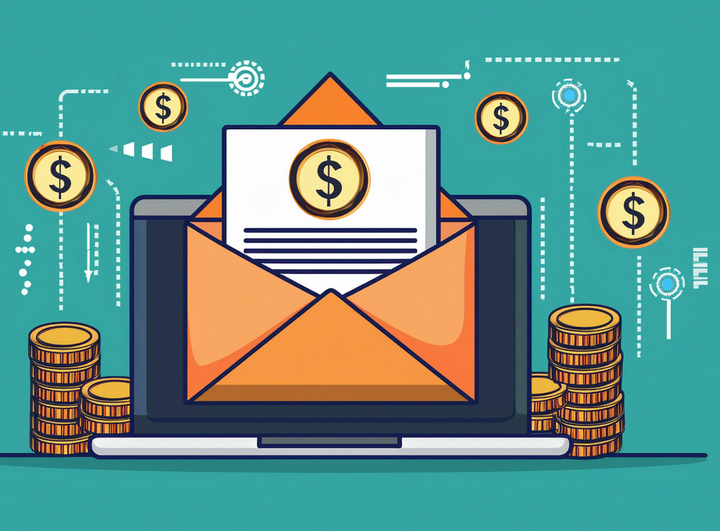
The Mismatch That Costs You Money
More often than vendors will admit, a growing business signs up for a big platform like SendGrid, Mailchimp, or one of the bigger ones because the features look great and the brand is well-known.
Then we reach the point where prices change. The level you need for basic deliverability features, dedicated IPs, or email verification costs three times as much as the entry plan. You thought you were buying features, but they actually need extra parts or business contracts. You have to pay for support that can really help you fix a delivery problem.
You pay enterprise prices for features you don't use, and the things that really matter—like deliverability, clean infrastructure, and good reporting—are harder to get to than they should be.
It's better to start with what you really need, pay for it, and only add more complexity when you really need to, just like CampaignLark.
A Better Way to Evaluate Email Tools
When you're assessing a platform, strip the demo down to the basics. Ask these questions:
On deliverability: What's the deliverability rate on your shared IP pools? How do you handle IPs with poor reputations? Can I get a dedicated IP, and at what cost?
On authentication: Do you support SPF, DKIM, and DMARC setup? Do you provide DMARC monitoring? Can I verify my domain easily?
On reporting: How do you handle Apple Mail Privacy Protection in your open rate data? Can I see bounces, complaints, and unsubscribes in real time?
On support: If I have a deliverability problem at 9pm on a Friday, what happens?
On pricing: What does my actual volume cost per month, including all the features I'll use in practice?
If the sales rep struggles to answer those questions clearly, that tells you something about whether the platform is built for people who actually send email or for people who like buying email software.
The Bottom Line
The best email tool isn't the one with the longest feature list. It's the one where the things that matter — delivery, authentication, list hygiene, clear reporting — work reliably, without you having to think about them.
Everything else is negotiable.
CampaignLark is built around this idea: powerful infrastructure for getting emails delivered, with the tools marketers and developers actually use, without the bloat that drives up costs without driving up results. If you're re-evaluating your email setup, it's worth seeing how much you're paying for features you never asked for.