

Zapier Automation: How Emails Can Get Integrated Through Zapier
In today’s digital world, speed matters, especially when it comes to communication. Whether you're running a business, managing a SaaS product, onboarding new customers, or sending important transactional notifications, the faster you can automate your processes, the more efficient your operations become.
That’s where Zapier comes in, and when combined with Maileroo, you unlock a powerful email delivery engine capable of integrating with more than 8,000+ apps. Let’s explore how this combination can transform your workflow.
What Is Zapier?
Zapier is one of the world’s most widely used automation platforms, designed to connect all your favourite apps without writing a single line of code.
Think of Zapier as a digital bridge:
- App A receives an event
- Zapier automatically triggers an action in App B
- No human intervention required
Whether you're automating marketing tasks, syncing contacts, generating invoices, updating spreadsheets, or sending critical updates, Zapier helps businesses save countless hours each week by eliminating manual, repetitive tasks.
With apps like Google Sheets, Slack, Webhooks, WordPress, HubSpot, and thousands more, it’s easy to build custom automation that fits your exact needs.
Why Businesses Love Automation
Modern businesses rely on speed, accuracy, and consistency. Automation provides all three.
By automating tasks, you:
- Reduce manual errors
- Improve response times
- Boost team productivity
- Streamline customer communication
- Integrate data across systems instantly
Instead of copying and pasting information between platforms or manually sending emails, you can create a workflow (“Zap”) that handles everything for you.
And when email delivery is a core part of your communication, transactional receipts, order updates, notifications, or alerts, having a reliable email engine inside your automations becomes essential.
This is where Maileroo steps in.
Where Maileroo Fits In
Maileroo is an email delivery platform built for developers, marketers, SaaS owners, agencies, and businesses of all sizes. It’s designed to deliver emails quickly, reliably, and directly to the inbox.
By integrating Maileroo with Zapier, you can connect your email sending to over 8,000+ apps, unlocking endless possibilities:
- Send an email when someone fills out a form
- Trigger order confirmations automatically
- Notify customers instantly after a payment
- Alert your internal team when a system event occurs
- Generate personalised emails from CRM updates
- And so much more
Maileroo handles the heavy lifting, fast delivery, tracking, analytics, and seamless integration.
How to Connect Maileroo to Zapier
Setting up Maileroo inside Zapier is simple. Here’s the step-by-step process to get you ready:
1. Prepare Your Maileroo Account
Before integrating, ensure you’ve connected and verified a domain in your Maileroo dashboard.
You can manage your domains here:
https://app.maileroo.com/domains
2. Add Maileroo to Your Zapier Workspace
Head to the official Maileroo Zapier integration page:
https://zapier.com/mcp/maileroo
Click “Try Code Free in Zapier Agents” to install it into your Zapier setup.
3. Connect Your Maileroo Credentials
Zapier will ask you to connect a Maileroo account using three fields:
- Sender Key (required)
- Sender Address (required)
- Sender Name (optional)
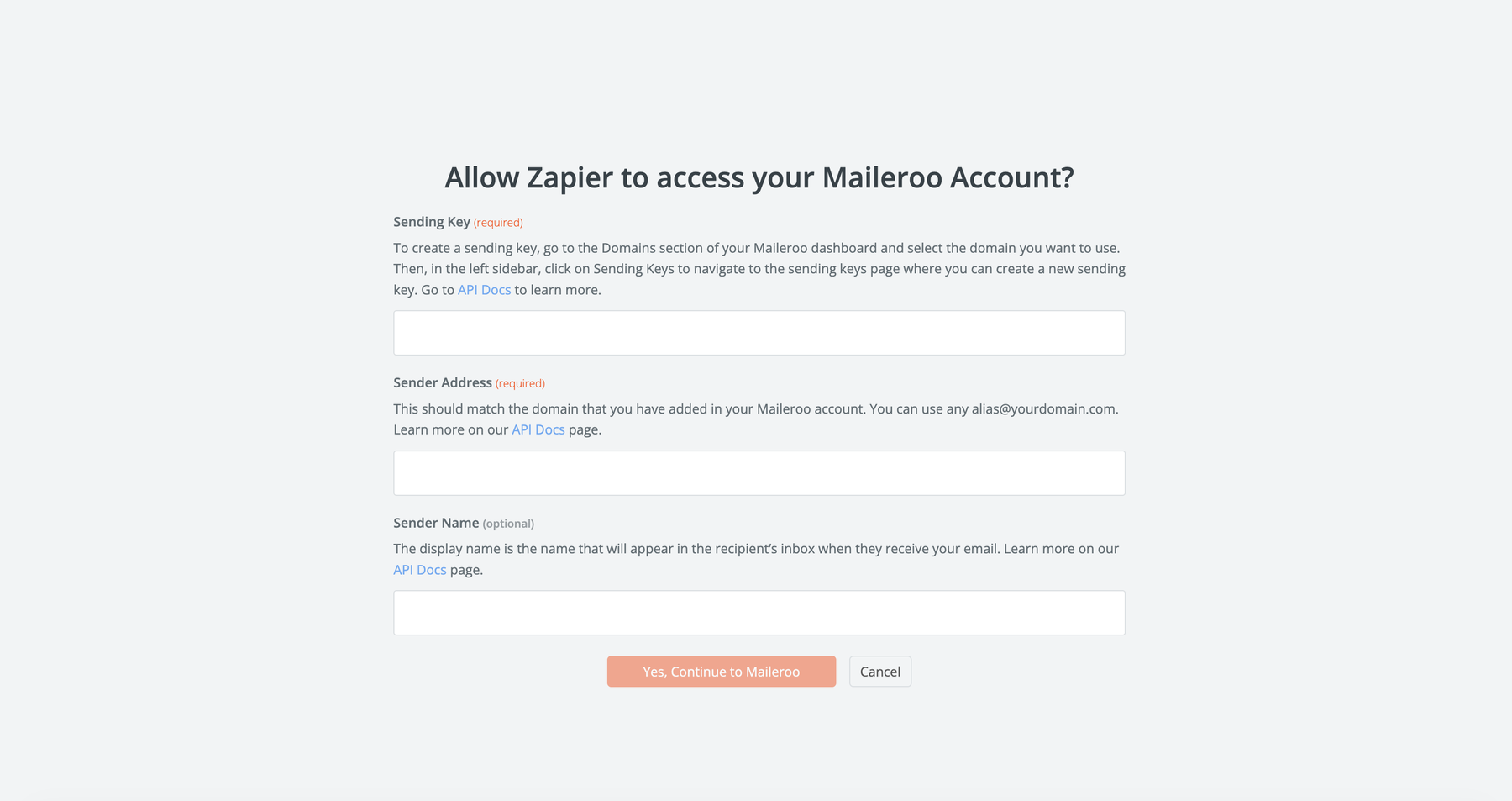
How to get your Sender Key:
- Open Maileroo → go to Domains
- Select the domain and click Overview
- Navigate to Sending Keys
- Click New Sending Key, name it, and generate it
- Copy this key into Zapier
For your Sender Address, enter any email under your verified domain (e.g., [email protected]).
After completing these fields, click Continue to Maileroo.
Once authenticated, you’re ready to automate.

What You Can Do With Maileroo’s “Send Email” Action
After adding Maileroo to your Zap, you’ll gain access to its Send Email capability. This opens up a wide range of automation possibilities.
You can configure:
- Recipient Email
- Recipient Display Name
- Subject Line
- HTML Content
- Plaintext Content
- Tracking (opens & clicks)

Whether you prefer clean plaintext messages or custom-built HTML templates, Maileroo supports both.
Some example automations include:
Popular Automation Ideas
- Send a welcome email when someone signs up via Webflow, WordPress, or Squarespace
- Notify a customer after a successful payment on Stripe or WooCommerce
- Trigger a confirmation email when someone submits a Typeform or Jotform
- Send internal alerts when leads move stage in HubSpot or Pipedrive
- Auto-send onboarding sequences when a user joins your platform
With Zapier’s ecosystem, the possibilities are truly limitless.
We also have an in-depth help document surrounding this, allowing you to go from signing-up to Maileroo and configuring our app into your Zap. Read here for more.