



 Built for Agencies
Manage Client Email Infrastructure with Ease
Scalable infrastructure with a complete suite of tools to manage your clients from our dashboard or setup your own white-labelled solution with our extensive API that covers domain management, email sending, inbound routing, templates, webhooks, analytics and more.


 Agency Trusted
Everything Agencies Need to Manage Clients
Manage multiple clients, add an unlimited number of domains, keep email data isolated from each other all with collaborative tools and centralized account management. All under one account.

Client Management
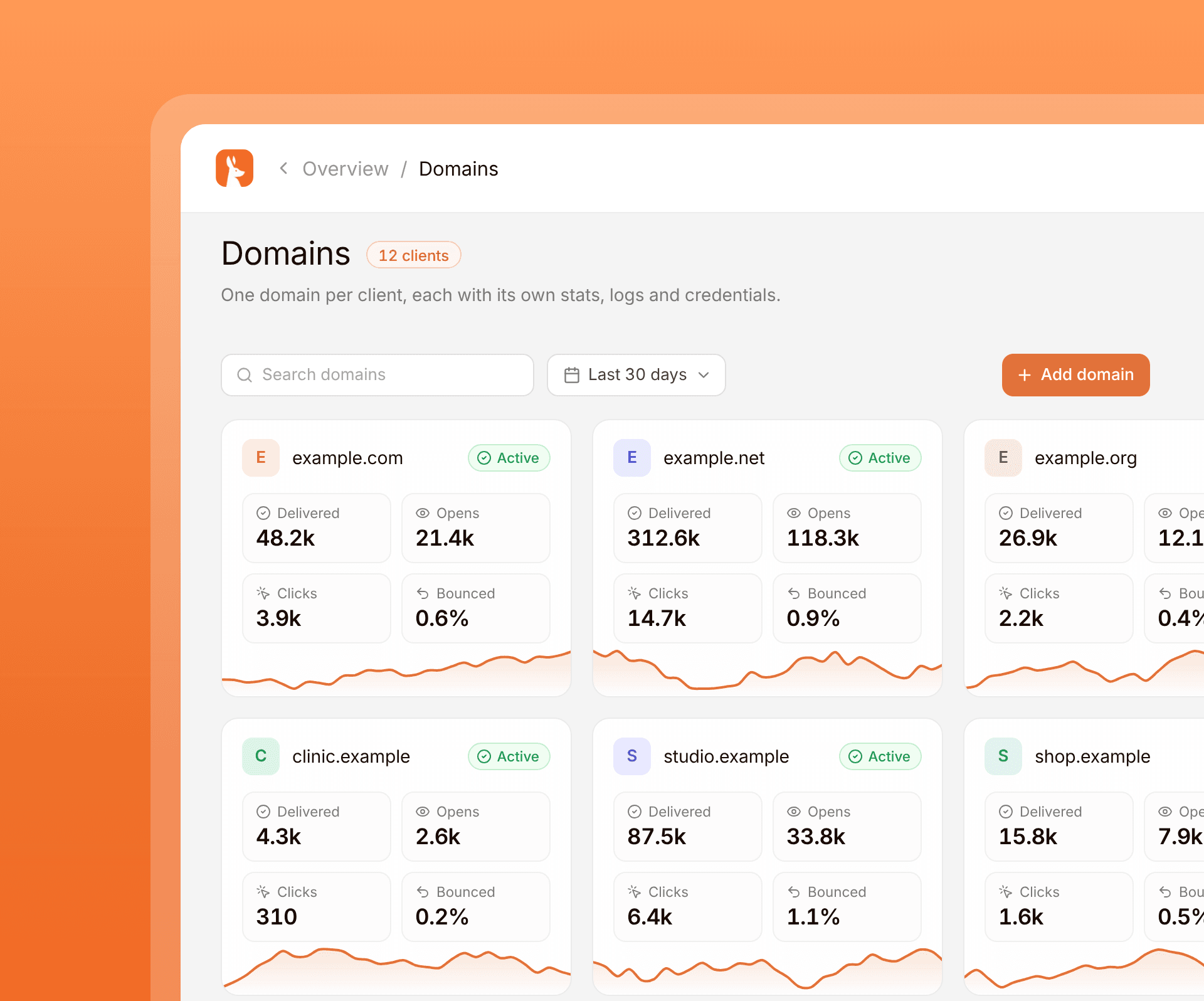
Setting up anything technical for a client should be made easy and seamless. Maileroo tailors a unique experience for agencies managing multiple clients but giving you a centralized workplace to manage domains, logs, analytics, collaborations and more on a per client basis.
One Maileroo account holds every client. Isolated sending environments keep credentials apart, and the API covers domain management, sending, inbound routing, templates, webhooks and analytics if you want to build your own client-facing flow.

Domain Management
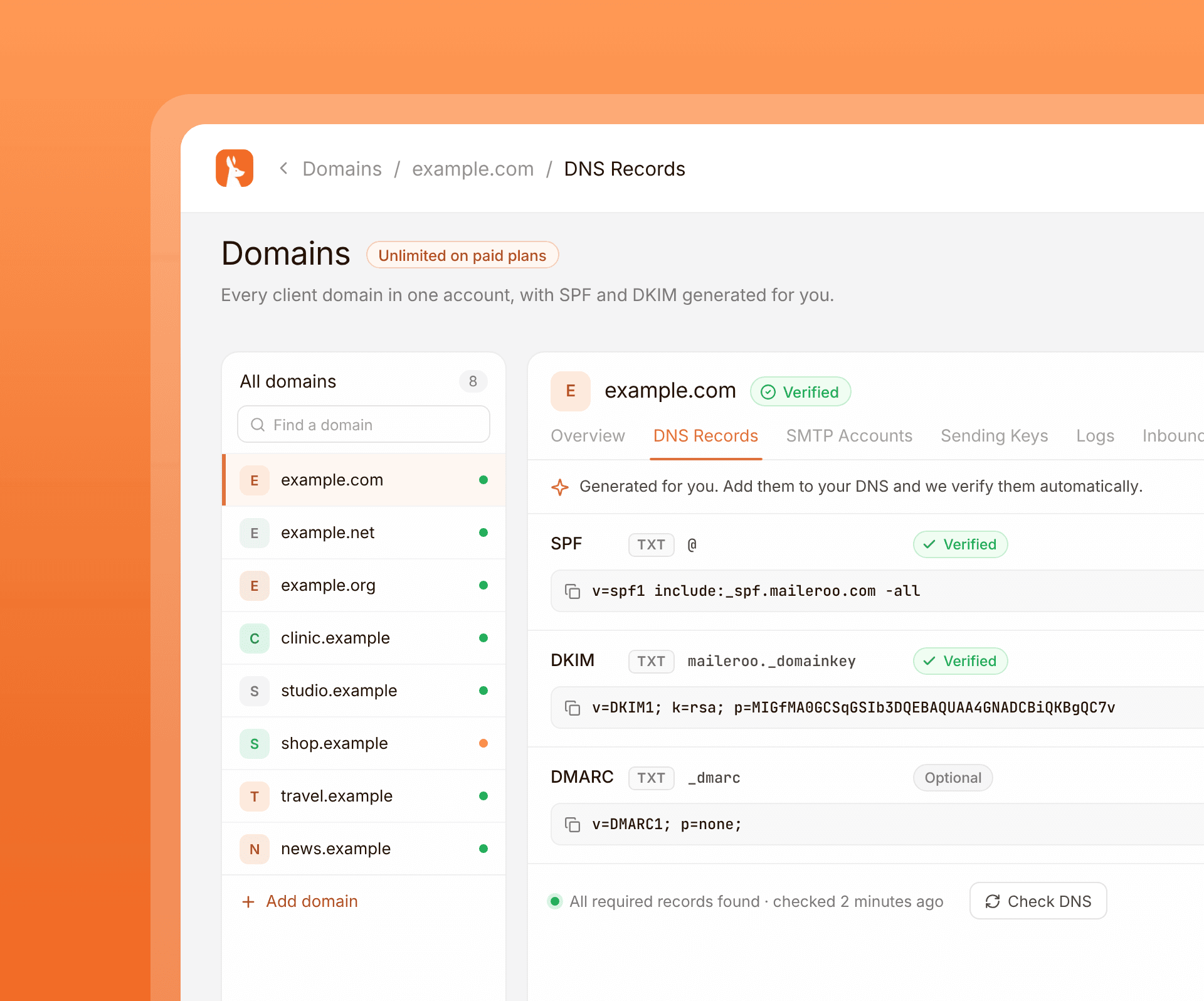
Organize and manage multiple sending domains with secure authentication, DNS verification, centralized control, and reliable infrastructure for every client.
- Unlimited domains on paid plans, so every client domain lives in the same account.
- SPF and DKIM records are generated for you, with verification once DNS is in place.
- Cloudflare users can finish setup in one click without disturbing existing records.

Team Collaboration
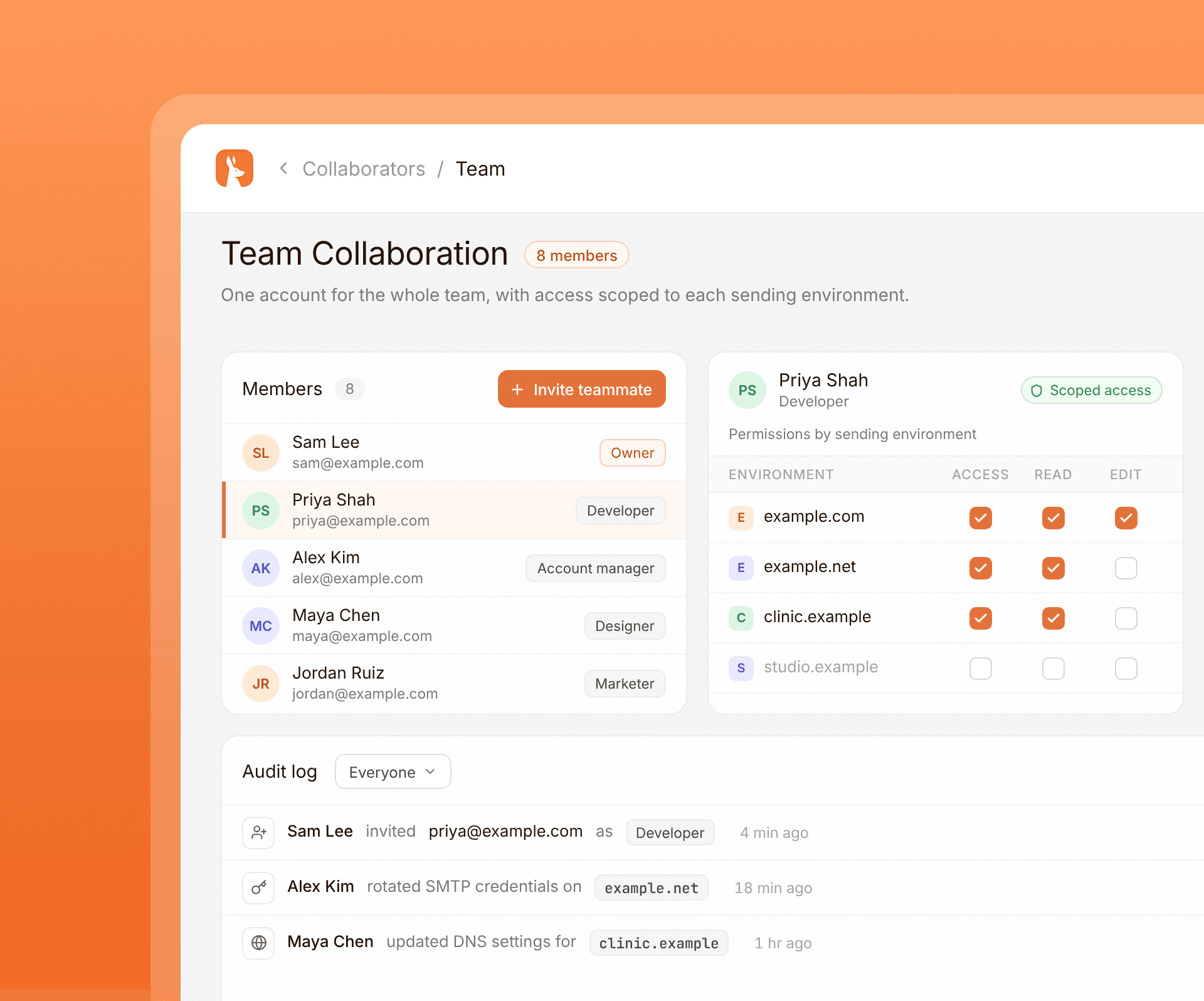
Add as many teammates as you need. Designers, developers, marketers and account managers can work from the same account.
Define what each person can access, read and edit inside each sending environment, so a client project stays scoped.
See who invited a teammate, changed credentials or touched a domain, without asking each person to self-report.

Client Analytics
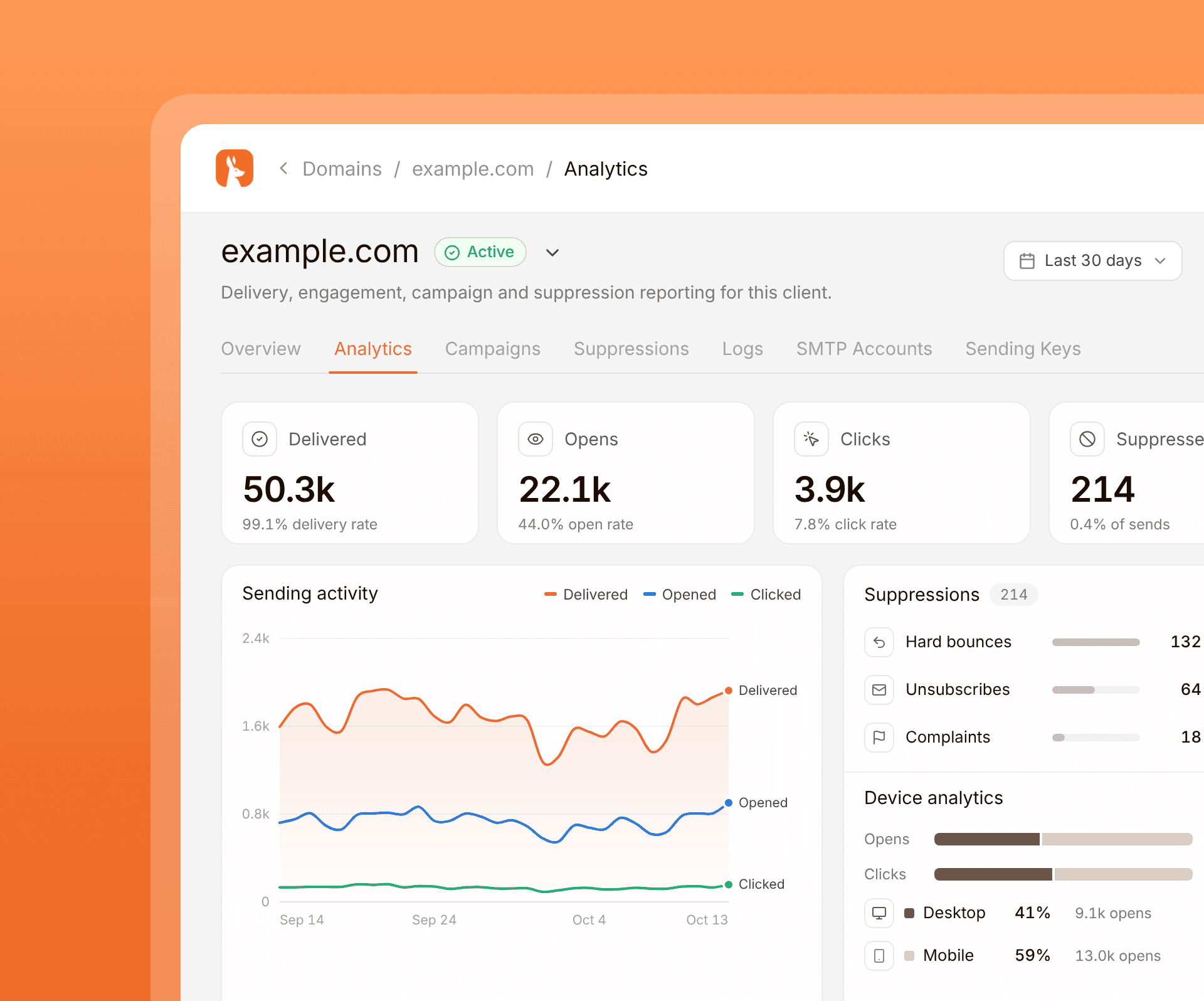
Track email performance, delivery metrics, clicks, opens and suppression activity with detailed reporting for every client project.
Filter across every client domain and application to find a message without jumping between accounts.
View and export analytics straight from the dashboard, or keep your own using our webhooks.
 Why Maileroo
Why People Love Maileroo
Compare Maileroo with other email providers and discover the features, reliability, and transparent pricing that help businesses send email with confidence.










 Agencies Workflows
Everything You Need to Grow with Confidence
Deliver better client experiences, simplify daily operations, improve communication, and grow your agency with reliable email workflows built for modern service teams.

Help clients improve customer communication with reliable email delivery that supports marketing campaigns, transactional messages, onboarding, and ongoing engagement.
Reduce delays by managing client communication from one reliable platform that helps your team stay organized, productive, and focused on delivering successful projects.
Build trust through consistent email performance, dependable communication, and reliable infrastructure that supports every client from launch to long-term growth.
Take on larger projects, support more customers, expand your services, and scale your agency without adding unnecessary operational complexity or overhead.
 Agency Essentials
Everything Agencies Need to Manage Clients
Manage multiple clients, domains, and email projects from one platform with collaborative tools, scalable infrastructure, reliable delivery, and centralized account management.
Send email through SMTP relay or the Email API with flexible options that fit the way your stack already works.
Protect your sender reputation with dedicated IP addresses built for consistent, high-volume enterprise delivery.
Keep transactional and marketing traffic in separate streams so one channel never puts the other at risk.
Connect every app and website you need on paid plans, with no hard limit on how many domains you can send from.
Give each domain its own logs, analytics, and credentials so teams and brands stay fully separated.
Attach multiple domains to one vendor or service, then set outbound security rules that match your workflow.
Review up to 30 days of sending data and dig into the metrics that show how every campaign is performing.
Search 14 days of email logs with advanced filters so you can find issues quickly and stay in control.
Resend failed, suppressed, or delayed messages from the dashboard for up to 14 days with a single click.
Automatically manage bad recipients, then import or export suppression lists whenever you need a closer look.
Measure opens and clicks across every send so you can see what engages people and improve the next campaign.
Use your own branded tracking domain on links to keep recipient trust high and your brand front and centre.
Set the return-path address that processes bounces and delivery updates so feedback loops stay accurate.
Watch your IPs and domains across major RBLs so reputation problems are spotted early, not after the damage.
Push delivery, bounce, and engagement events into your systems in real time so workflows can react instantly.
Route incoming email into your apps and workflows with inbound processing that fits how your team operates.
Build templates in the drag-and-drop editor, render them dynamically via API, and start from 200+ ready designs.
Import HTML from a file, zip, or URL, then adjust the design visually without writing or debugging any code.
Invite teammates and assign permissions with fine-grained control over what each person can view or change.
Configure passwordless SAML sign-in for your organization. Enables your organization greater security and compliance.
Add two-factor authentication with popular authenticator apps to keep account access locked down and secure.
Track collaborator activity across your account so every important change is logged and easy to review.
Test sending and integrations on a free domain before launch, so production stays clean while you experiment.
Add and manage domains programmatically through the API so onboarding new sending domains stays automated.
Connect with official SDKs in major languages, or plug into tools like Zapier, Make, and WordPress in minutes.
Follow clear documentation with practical examples so your team can integrate quickly and with confidence.
Configure DNS on Cloudflare in one click, with setup that respects your existing records and avoids surprises.
Export delivery reports, suppressions, and more whenever you need the data outside the Maileroo dashboard.
Get help from people with real email experience, so your first contact already understands the problem space.
Need help in real-time? Our live chat is available for both general and technical support.
 Success Stories
Why They Switched
to Maileroo
The deliverability problems that pushed these teams off their old provider, the work it took to migrate, and the numbers they're seeing on the other side.

Enabling a modern mortgage broker to deliver secure transactional emails with dependable infrastructure and consistent performance nationwide every day.

Supporting a creative web studio with dependable email delivery and flexible infrastructure for cultural organizations across Canada.

Helping a Melbourne digital agency improve email deliverability with reliable infrastructure and seamless WordPress integration for client projects of every size.
 Reviews
Customer-Centric
by Design
We're a small team, which means when you write in, you're talking to someone who works on the product. Startups, agencies, and growing businesses stay with Maileroo because the support is real, the pricing is honest, and the infrastructure holds up.

"I love it as an SMTP service for transactional emails. The app is fast, easy to understand and fully featured, but not overwhelming, and email delivery is super fast and reliable. Just perfect! Every time I needed to request a feature or inquire about something with the team, they responded quickly and satisfactorily, both in their Discord channel and via email."

"I have been a Maileroo customer for almost 2 years now and I am very satisfied: Sending emails is super fast and reliable. The support is great and fast (usually within 1 hour). The interface is functional yet easy to use. You pay much less at Maileroo than at other providers without compromising on quality. In short, a great company to work with as an agency!"

"Using Maileroo for half a year now. Api and its documentation is simple, straightforward and just works. What truly makes the difference is the fast, personal support. Support is always quick to respond and to find a solution. Requests or suggestions are taken seriously and often translated into practical improvements. That level of personal involvement and service is rare and makes Maileroo a solution I can confidently recommend. Experience with mailgun, mailjet, sendgrid, resend and Maileroo takes the cake."

 FAQ
FAQFAQ For Agencies
Yes. Isolated sending environments let you keep each client, brand or project separate, with its own domains, credentials, logs and analytics, so one client's sending never affects another.
Yes. You can add as many team members as you need to help manage your client domains. Granular permissions let you define what they can access, read and edit within each sending environment. Audit logs also show who did what in the account.
Yes. Enterprise customers can connect their organisation's SAML system, so people in their organisation sign in to Maileroo through their existing identity provider.
You can use the Domain option to create isolated SMTP credentials or an API key for each client domain. The more versatile option is Applications: attach the domains you need, control which aliases can send, restrict which domains it can send to, set IP restrictions, and get dedicated SMTP and API credentials per application. That is the better fit for advanced setups that need more control and flexibility.
Paid plans include unlimited domains, so you can add every client domain you manage without hitting a cap or moving them onto separate accounts.
You get 14 days of email logs with advanced filtering, so you can search across every client domain and application and find the message you need without jumping between accounts.
Our Melbourne team answers live chat and email from 9am to 9pm Melbourne time, including help with DNS, client onboarding and deliverability. Additional support hours are available on request.
Yes. Maileroo is fully GDPR compliant. A Data Processing Addendum is available for your clients' vendor reviews.
Not yet. Our SOC 2 Type II process has begun. Updates and related security content are published in our Trust Centre.
