



 Email Marketing Platform
Email Marketing Priced on Sends, Not on List Size
CampaignLark is our marketing platform, built by the same team as Maileroo and sending over the same infrastructure. Campaigns, automations, segmentation, and forms in one place. Your bill follows how many emails you send, not how many contacts you happen to be storing.

 Platform Highlights
What is CampaignLark?
Maileroo handles transactional email. CampaignLark handles the marketing side: newsletters, campaigns, journeys, and the audience data behind them. It is a separate product with its own login and its own pricing, built as an alternative to Mailchimp, Klaviyo, and ActiveCampaign, and it shares the delivery infrastructure you already know.


 Easy Integration
From Sign Up to First Send in an Afternoon
No migration project, no onboarding call before you can try it. Import your contacts, build something, send it, and look at the numbers.
Create and send
campaigns in minutes
You do not need DNS access to start. Every account gets a free CampaignLark sending domain, so you can build a campaign and send it while your own domain is still waiting on records.
Choose a template or start from blank, define the audience, preview it, then send or schedule. A/B testing is available on every plan, the free one included.
The free tier covers 1,000 emails a month across two domains. Paid plans start at $15.
Design beautiful emails without the hassle
There are two editors, because there are two kinds of people building emails. The Lark drag and drop editor is for building from scratch: blocks, layouts, images hosted on our CDN, responsive output you can check on mobile before sending.
The HTML editor is for the template a designer already handed you. Upload it, then edit content, styles, and merge tags in a focused view without picking through table markup.
Anything you build can be saved and reused as a template on the next campaign.
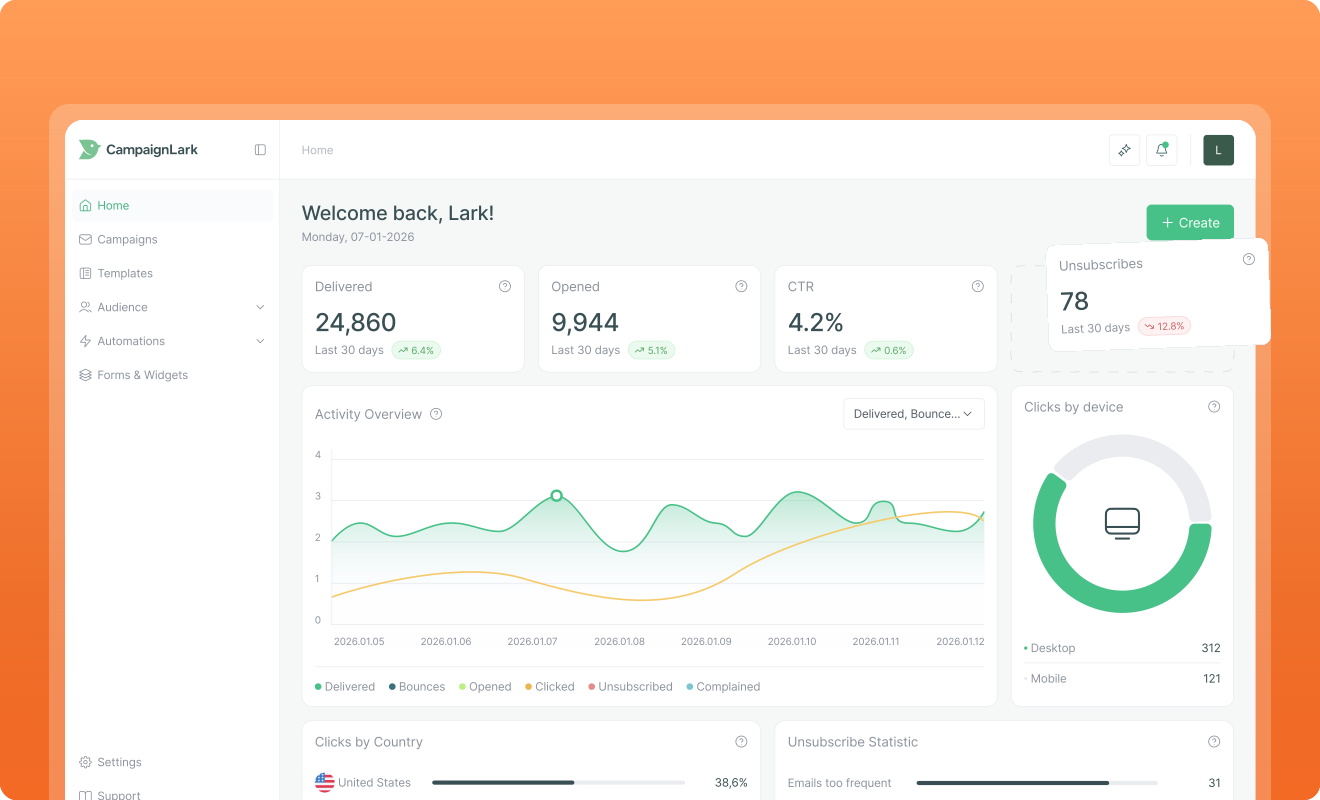
Track your performance in real-time dashboards
Opens, clicks, bounces, and complaints land as they happen rather than in a report the next morning.
The breakdowns are where the useful part sits. Bounces are classified by reason, so you can tell a full mailbox from a dead domain. You also get receiving provider, device and client, geography, and send-time analysis, which is usually how you work out why one campaign underperformed another.
Conversion tracking and the event API close the loop, tying a send to the signup or purchase that followed it.
 Features
Everything You Need to Grow with CampaignLark
Audience, content, automation, delivery, and analytics in one platform. CampaignLark gives your team the tools to launch better campaigns faster with less operational overhead.

Audience Management
Manage unlimited contacts with full lifecycle visibility, from list growth to engagement behavior, while keeping every subscriber organized in one place.

Segments
Build advanced segments with flexible conditions so you can group contacts by behavior, profile data, campaign activity, and lifecycle stage.

Tags
Label contacts with reusable tags based on actions, attributes, or events to power cleaner filtering, faster targeting, and more relevant campaigns.

Fields
Create custom fields for the exact data you need, then use that information across segmentation, personalization, automations, and reporting.

Drag-and-Drop Email Builder
Design responsive campaigns quickly with a visual builder that helps your team create polished emails without touching a line of code.

HTML Email Builder
Import your own HTML templates from anywhere and fine-tune content in a no-code environment while preserving your exact brand styling.

Templates
Start fast with 200+ pre-built templates, customize each one for your brand, and save reusable layouts your team can launch in minutes.

Form Builder
Create embeddable signup forms to capture leads, collect subscriber data, and feed contacts directly into lists, segments, and automations.

Campaign Sending
Send immediately for time-sensitive updates or schedule campaigns ahead of time so launches, promotions, and announcements run on plan.

Smart Scheduling
Distribute sends gradually over time to improve deliverability, reduce throttling risk, and protect campaign performance at higher volumes.

Sender Identities
Create sender profiles like newsletter@, hello@, or support@ and control which addresses each team or workspace can use for campaigns.

Custom Domains
Connect branded sending and tracking domains to improve trust, strengthen deliverability, and keep every campaign aligned with your brand.

One-click Cloudflare Setup
Configure critical DNS records through Cloudflare quickly to reduce setup friction and get your workspace verified and sending faster.
Dedicated IPs
Use dedicated sending IPs for higher-volume campaigns, stronger sender reputation control, and more consistent inbox performance over time.

Automations
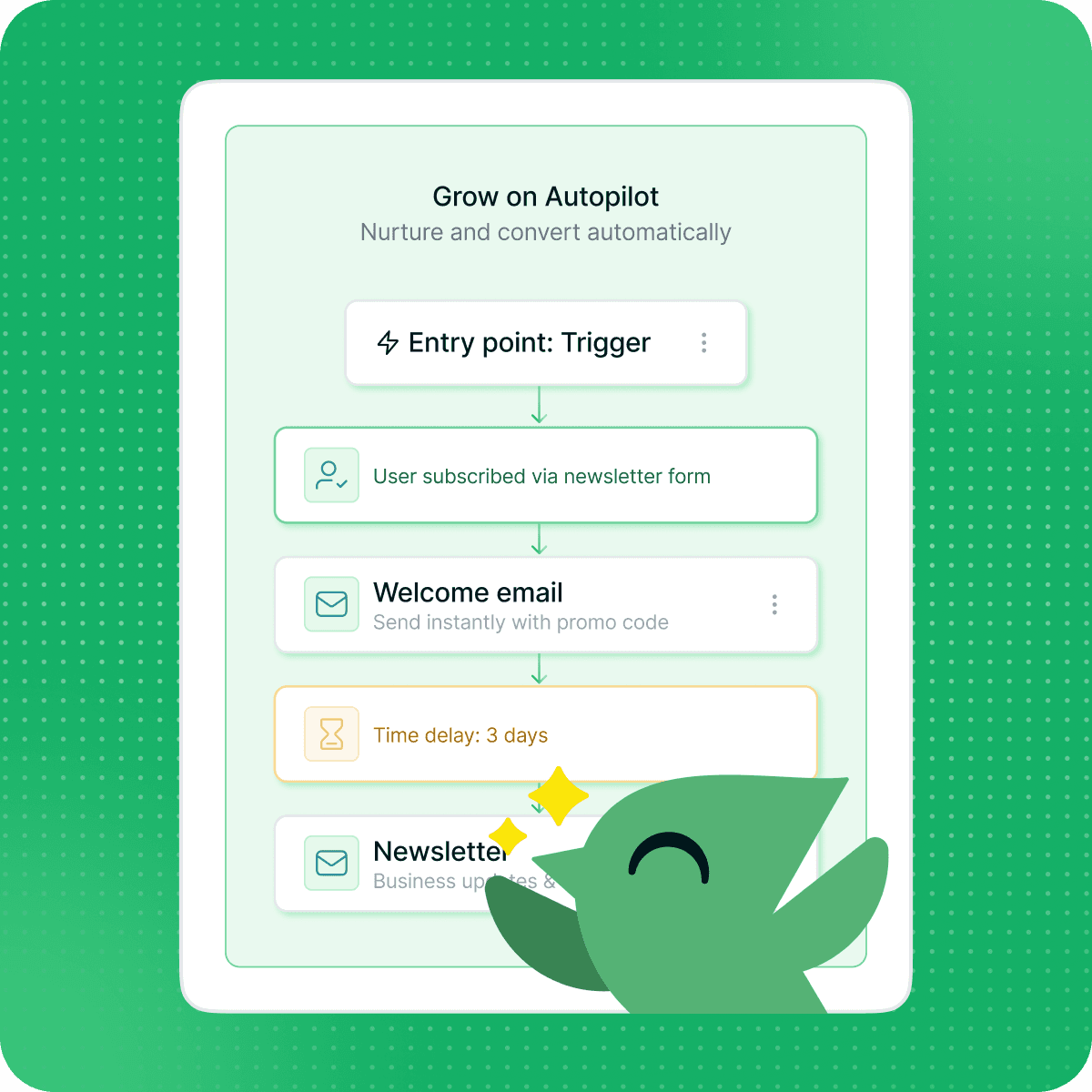
Build advanced trigger-and-action automations that run continuously in the background, from onboarding journeys to behavior-based follow-ups.

Developer Tooling
API-fy your workflows with extensible developer tooling so your team can build custom sending, orchestration, and integration logic at scale.

Integrations
Connect CampaignLark with your existing stack and external tools so contact sync, campaign operations, and reporting stay unified.

Outbound Webhooks
Push automated event notifications from your workspace to external platforms, helping your systems react instantly to campaign activity.

Inbound Webhooks
Receive webhook calls from external services into your workspace so third-party systems can trigger updates, actions, and workflows.

Analytics
Track opens, clicks, conversions, delivered, bounces, geography, devices, unsubscribe reasons, and more through one analytics layer.

Conversion Tracking
Measure business outcomes tied to each campaign so you can understand impact beyond opens and clicks, including actual conversion behavior.
Custom Link Tracking
Use branded tracking links to improve recipient trust, preserve brand consistency, and gain clearer click-level engagement visibility.
A/B Campaigns
Split audiences 50/50 across two campaign variations, compare key metrics side by side, and use real data to improve future sends.
Team Collaboration
Give collaborators role-based access to the exact tools they need, enabling safer teamwork across campaign creation and operations.

Workspaces
Create separate workspaces for clients, brands, departments, or business units while keeping campaigns, contacts, and analytics isolated.
SMS Marketing
Reach subscribers beyond the inbox with SMS campaigns that complement your email strategy and drive faster engagement.
Page Management
Configure hosted opt-in, opt-out, preference, and feedback pages so subscribers can manage their subscriptions and preferences.
 Quick Setup
Launch Your First
Campaign in Minutes
Three steps, none of which require talking to sales. Create the account, set up a workspace, send your first campaign.
 Who It's Built For
Built for Every Team That Sends Email
Whether you are growing a business, managing client brands, operating at enterprise scale, or building with APIs, CampaignLark adapts to the way your team works.
CampaignLark helps growing teams launch faster, nurture leads automatically, and understand what drives engagement without complex setup or hidden limits.
 Set-and-forget automations that nurture and convert
- Unlimited contacts with no hidden tier limits
- Go from setup to your first send in minutes
- Track and grow your digital footprint with real-time insights
 Why CampaignLark
CampaignLark is Becoming The People's Choice
See how agencies, creators, and growing brands use CampaignLark to send campaigns, manage audiences, and stay in touch with their customers.



 FAQ
FAQQuestions?
We've Got Answers
From deliverability and infrastructure to pricing and integrations, here's what developers ask us most before they send their first email.
Maileroo is an email delivery platform designed to help businesses send both transactional and marketing emails reliably and at scale. We provide a simple yet powerful API, SMTP integration, and a user-friendly dashboard that makes it easy to manage your email communication from a single place. With a focus on deliverability, security, and ease of use, Maileroo handles the complexities of email infrastructure so you can focus on your product. From startups to enterprises, Maileroo offers scalable plans and dedicated support to ensure your emails reach the inbox every time.
Maileroo supports both transactional and marketing emails. You can send transactional emails such as password resets, order confirmations, invoices, and notifications, as well as marketing emails to users who have explicitly opted in to receive them. Whether you're sending automated system emails or managing marketing campaigns, Maileroo provides the tools to automate all of your email communication from a single platform. If unsure about the type of email you're sending, you can always contact our support team for guidance.
Maileroo is built with deliverability at its core. We use strict account verification, continuous monitoring, intelligent automation, and proprietary abuse detection to protect our sending reputation and reduce spam. Combined with automatic suppression handling, SPF, DKIM, and DMARC support, and ongoing infrastructure maintenance, these safeguards give legitimate senders the best chance of reaching the inbox.
Yes. Every Maileroo plan includes Email Testing, from Free to Enterprise. There is no add-on or separate subscription: your test email allowance, inboxes and testing domains simply scale with your plan.
Maileroo's infrastructure is strategically hosted in Germany, Netherlands, Finland and France, providing exceptional performance, reliability, and security for customers worldwide. Our infrastructure is fully GDPR compliant, ensuring your data is handled in accordance with strict European data protection regulations. With enterprise-grade security and modern data centers, you can trust that your data is safe with us.
Maileroo provides support through live chat and email, with our team based in Australia to provide both general and technical assistance. Our team is available from 9 AM to 9 PM Melbourne time. Whether you need help with setup, configuration, integrations, or troubleshooting, our experienced team is available to help you get connected and running smoothly. We understand that email infrastructure is critical to your business, which is why providing fast, knowledgeable support is a key priority for us. Our team has the technical background to assist with complex setups and ensure you have the support you need when you need it.
All Maileroo plans include a monthly email quota. If you exceed your allocated quota, any additional emails will not be sent until your quota resets or your plan is upgraded. For paying users, we include a 12% buffer on your monthly quota, giving you extra flexibility in case of unexpected spikes in sending volume. In addition to monthly limits, we apply an hourly sending limits to accounts as a security measure to help protect our sending infrastructure and maintain deliverability. These limits can be easily increased through your dashboard by submitting a request, and our team can quickly review and adjust them to ensure your email sending is not impacted.
We accept credit card or debit card including Visa, Mastercard and American Express, along with PayPal and cryptocurrency payments.
Yes, Maileroo is built to support businesses of all sizes, from startups and small teams to agencies and large enterprises. We offer scalable plans starting from a free 3,000 emails per month option through to custom solutions designed for businesses sending millions of emails and beyond. Our infrastructure is built to scale with your growth, providing reliable email delivery, flexible sending capacity, and the tools needed to power email communication for businesses of all sizes.
Yes. Non-profits and open-source projects get 50% off every Maileroo plan. Get in touch with a short note about what you're building and we'll set it up. No lengthy application, no annual commitment.
