


 Built for Developers
Developer Tools Built On Our Infrastructure
We're developers who got tired of fighting bloated systems and so we built Maileroo to help you deploy quicker and more securely on a platform that's trusted globally by developers.

 Developer-First Infrastructure
Everything You Need to
Ship Email Features Fast
Password resets, order confirmations, and notifications all need to reach your users. We handle the messy parts of deliverability so you can focus on building features.

Control exactly where email can go with per-credential policies. Restrict allowed sender local parts, limit recipient domains, or lock sending to an authorized IP list.

Receive emails straight into your app through webhooks, perfect for parsing support tickets, handling replies, or building email-based workflows.

Store templates in Maileroo and control them via API. Use variables, update content without deploying code, and let marketing tweak copy without bugging you.

Get instant notifications when emails are delivered, opened, clicked, or bounced, with a clean, well-documented payload.

Test email flows without spamming real users. Sandbox domains let you validate everything before going live, ideal for staging and CI/CD pipelines.

Domain-level and global logs show delivery rates and engagement to help you debug issues, accessible via API or the dashboard.
 SMTP Snippets
Built By Developers For Developers
As a developer-led company, we understand the importance of having a reliable and easy to use email infrastructure. That's why we've built Maileroo with a focus on developer experience.

1const nodemailer = require("nodemailer");2 3const transporter = nodemailer.createTransport({4 host: "smtp.maileroo.com",5 port: 587,6 auth: {7 user: "YOUR_SMTP_USERNAME",8 pass: "YOUR_SMTP_PASSWORD"9 }10});11 12transporter.sendMail({13 from: "Maileroo <[email protected]>",14 to: "A Test User <[email protected]>",15 subject: "Hello from Maileroo",16 text: "This is a test e-mail message."17});18  Developer Workflows
Ship Email Features
in Minutes, not Days
Official SDKs for PHP, Laravel, Node.js, Python, Ruby, Go, and .NET, or just use SMTP. Readable docs, transparent pricing, and support from actual engineers.

Give high-volume sending its own lane with dedicated IPs and warm-up support, helping you build sender reputation from a cleaner starting point.
Bounces and complaints are handled automatically, so bad addresses never keep dragging down your sender reputation.
Track clicks and opens through your own domain for better trust and brand alignment. Tracking stays completely optional.
Redundancy, automatic failover, and 24/7 monitoring keep critical messages moving when your users are waiting.
 AI & MCP
Maileroo MCP Just Became Your New AI Email Assistant
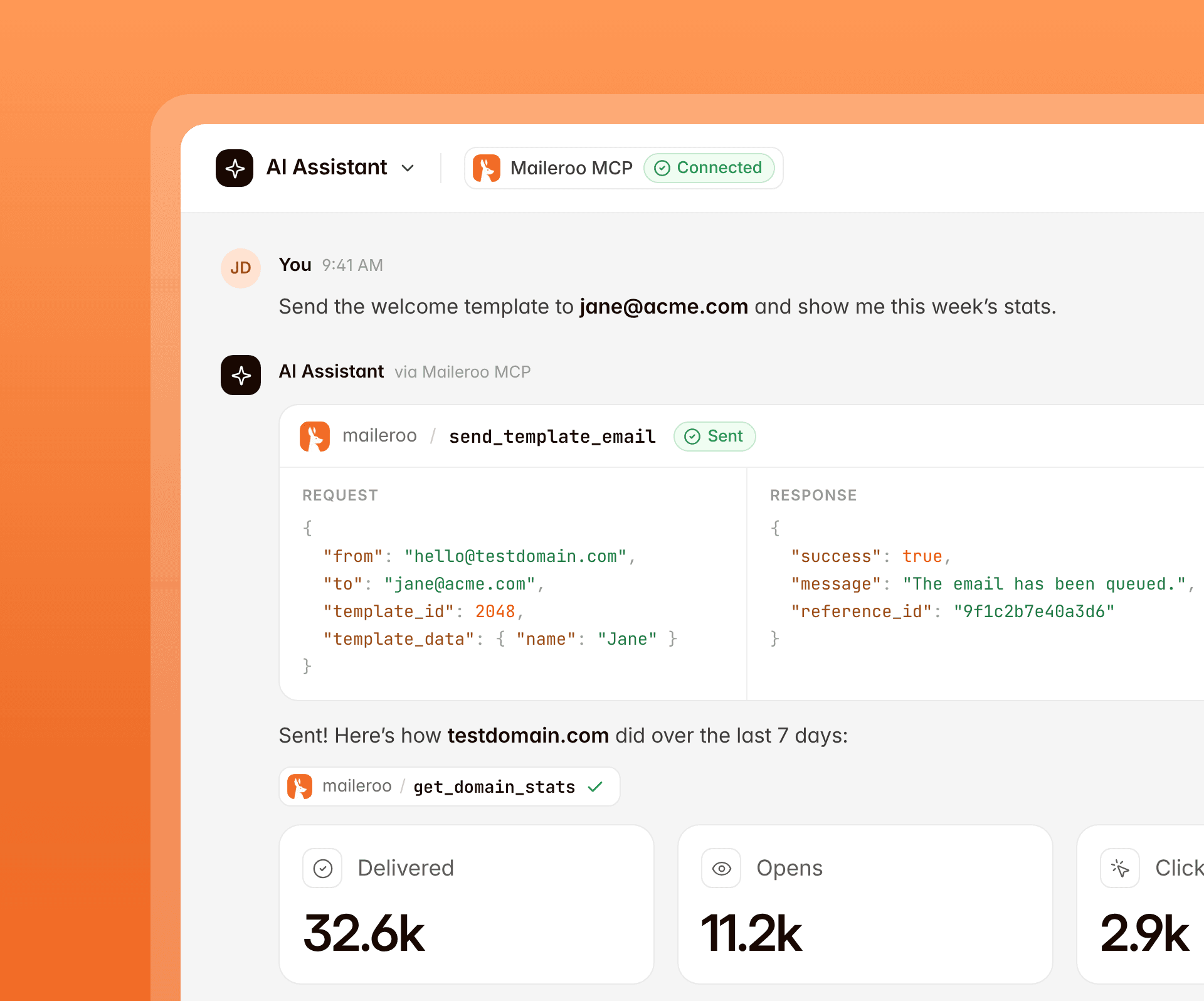
Connect Maileroo to Claude and other MCP-compatible assistants, then send and manage email without leaving the conversation.
Official Claude Connector, Plus An MCP Server
Maileroo can now connect directly into your Claude assistant, in which you can use all of the features on hand to manage your sending environments directly from your conversations.
Ask it any questions like "Send this email to John Doe" or "Add this domain testdomain.com to my account" and it will do just that for you.
Prefer to wire it yourself? Point Claude, Cursor and other MCP-compatible assistants at Maileroo's MCP server and add it as a connector in minutes.
 OTP verification
OTP Verification That Does All The Work For You
Maileroo Verify lets you send one-time codes and confirm them without the complications of building and managing your own verification stack.
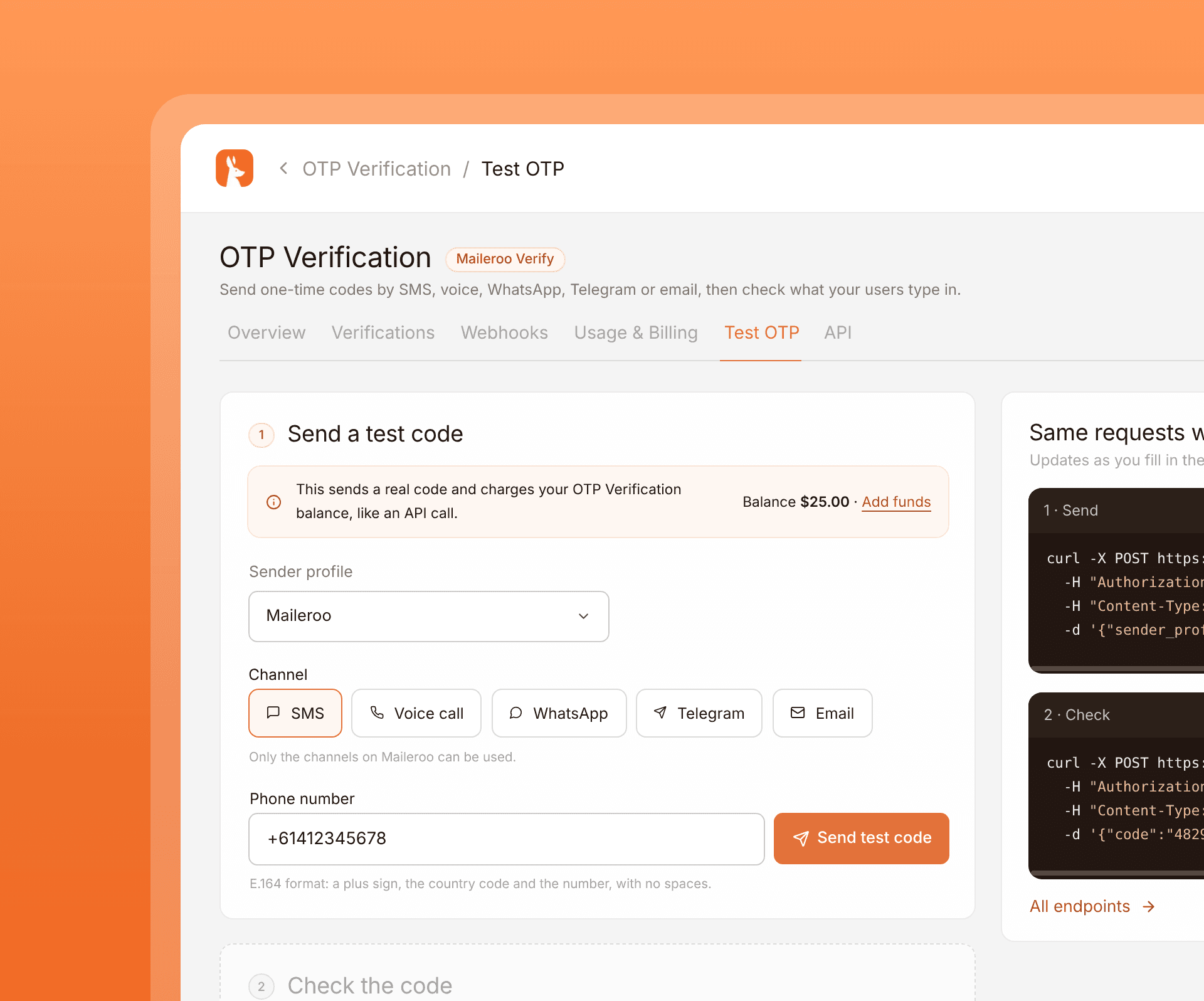
Two API Calls To Manage Your Entire User Verification Flow
Send verification codes by SMS, voice, WhatsApp, Telegram or email from a single API. Pick the channel that fits each user.
We handle the sending and verification of the OTP, so you can simply plug it into your app without maintaining a the flow yourself.
With webhooks, you can send verification lifecycle events to your HTTP endpoint. A sender profile can have multiple webhook URLs, each enabled webhook for that profile receives every event from created, sent, verified, failed, expire and cancelled.
 Email testing
Test Emails Before They Reach Real Inboxes
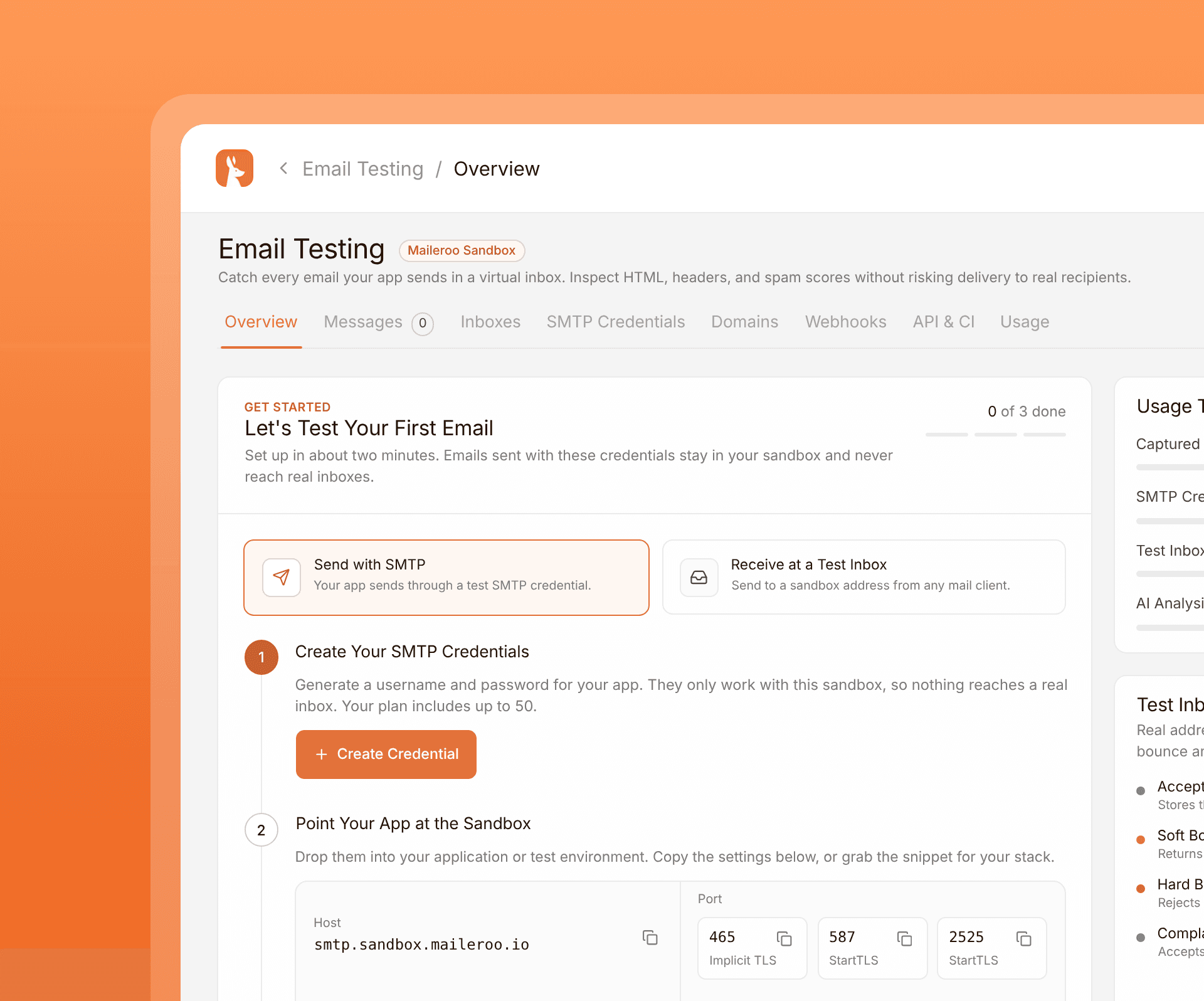
Capture, analyse and trigger events in a sandbox inbox, so you can ship with confidence.
Test your emails in a sandbox inbox before they reach real users. You can run these tests manually through the dashboard or automatically through your CI/CD pipeline.
Each email is scored by Rspamd, checked against major RBLs and reviewed by AI for content and formatting issues. Authentication, headers, links and attachments are shown in the same view, so you can fix problems before production.
Fire off events through simulated opens, clicks, bounces, complaints, unsubscribes, replies and out-of-office responses. See how your platform operates before real users do.
 Why Maileroo
Why People Love Maileroo
Compare Maileroo with other email providers and discover the features, reliability, and transparent pricing that help businesses send email with confidence.










 FAQ
FAQFAQ for developers
We provide a multitude of complete tools such as Email API and SMTP Relay, Email Testing Platform, OTP Verification, Inbound Routing and more. These are complete tools ready to be integrated into your application and production environments, built to scale with you.
Hourly sending limits apply, and we can raise them on request. There are no daily caps.
The maximum email size is 24MB, including attachments.
In addition to sending individual emails, Maileroo allows you to send bulk emails by sending a POST request with a JSON payload. You can either supply a template ID or provide the full email content with full templating functionality. This is particularly useful for sending newsletters, marketing campaigns, or any other type of mass communication. You can send up to 500 emails per request.
The sandbox domain is for test environments. You can send to up to 7 recipients, which is useful for confirming your system is connected to Maileroo and that outbound email works as intended before you go live.
You get 14 days of log retention across all domains and applications, with advanced filtering so you can find emails quickly.
If a webhook fails to deliver its payload, Maileroo retries at progressively longer intervals so the receiving server has time to recover. A 200 response stops retries immediately.
The schedule is:
- First retry: 5 minutes later
- Second: 10 minutes later
- Third: 15 minutes later
- Then 30 minutes, 1 hour, 2 hours, 4 hours, and 6 hours for the eighth attempt
After eight unsuccessful attempts, retries stop. See our webhooks page for more detail.
Maileroo is located in the EU and is fully GDPR compliant. Data is processed in Germany, the Netherlands, France and Finland.
Developer EssentialsEverything Developers Need to Ship Email Features Fast
Password resets, order confirmations, and notifications all need to reach your users. We handle the messy parts of deliverability so you can focus on building features.
Send email through SMTP relay or the Email API with flexible options that fit the way your stack already works.
Protect your sender reputation with dedicated IP addresses built for consistent, high-volume enterprise delivery.
Keep transactional and marketing traffic in separate streams so one channel never puts the other at risk.
Connect every app and website you need on paid plans, with no hard limit on how many domains you can send from.
Give each domain its own logs, analytics, and credentials so teams and brands stay fully separated.
Attach multiple domains to one vendor or service, then set outbound security rules that match your workflow.
Review up to 30 days of sending data and dig into the metrics that show how every campaign is performing.
Search 14 days of email logs with advanced filters so you can find issues quickly and stay in control.
Resend failed, suppressed, or delayed messages from the dashboard for up to 14 days with a single click.
Automatically manage bad recipients, then import or export suppression lists whenever you need a closer look.
Measure opens and clicks across every send so you can see what engages people and improve the next campaign.
Use your own branded tracking domain on links to keep recipient trust high and your brand front and centre.
Set the return-path address that processes bounces and delivery updates so feedback loops stay accurate.
Watch your IPs and domains across major RBLs so reputation problems are spotted early, not after the damage.
Push delivery, bounce, and engagement events into your systems in real time so workflows can react instantly.
Route incoming email into your apps and workflows with inbound processing that fits how your team operates.
Build templates in the drag-and-drop editor, render them dynamically via API, and start from 200+ ready designs.
Import HTML from a file, zip, or URL, then adjust the design visually without writing or debugging any code.
Invite teammates and assign permissions with fine-grained control over what each person can view or change.
Configure passwordless SAML sign-in for your organization. Enables your organization greater security and compliance.
Add two-factor authentication with popular authenticator apps to keep account access locked down and secure.
Track collaborator activity across your account so every important change is logged and easy to review.
Test sending and integrations on a free domain before launch, so production stays clean while you experiment.
Add and manage domains programmatically through the API so onboarding new sending domains stays automated.
Connect with official SDKs in major languages, or plug into tools like Zapier, Make, and WordPress in minutes.
Follow clear documentation with practical examples so your team can integrate quickly and with confidence.
Configure DNS on Cloudflare in one click, with setup that respects your existing records and avoids surprises.
Export delivery reports, suppressions, and more whenever you need the data outside the Maileroo dashboard.
Get help from people with real email experience, so your first contact already understands the problem space.
Need help in real-time? Our live chat is available for both general and technical support.
