



Scan to Email for Every Printer in the Office
Point your copiers and multifunction devices at our SMTP relay and scanned documents land in the right inbox instead of a queue nobody watches. Setup is a settings page, not a project.



 Built for Devices
Why IT Teams Point
Printers Here
Scan to email breaks in predictable ways: an ISP blocking port 25, a mailbox provider rejecting an unauthenticated device, or a copier quietly failing with nowhere to look. This setup removes all three.

Connect five printers or five hundred. There is no per device charge and no cap on how many machines authenticate against one account.

Run the whole floor on one global credential, or issue a separate set per device so a compromised copier can be revoked on its own.

Scans routinely carry personal data. Sending runs on EU infrastructure and a data processing addendum is available on every plan.

HP, Canon, Epson, Brother, Xerox, Ricoh, Sharp. If the firmware has an SMTP settings screen, it will talk to our relay.

Deliver as [email protected] so staff trust what arrives, or start on the sandbox domain while you wait on DNS access.

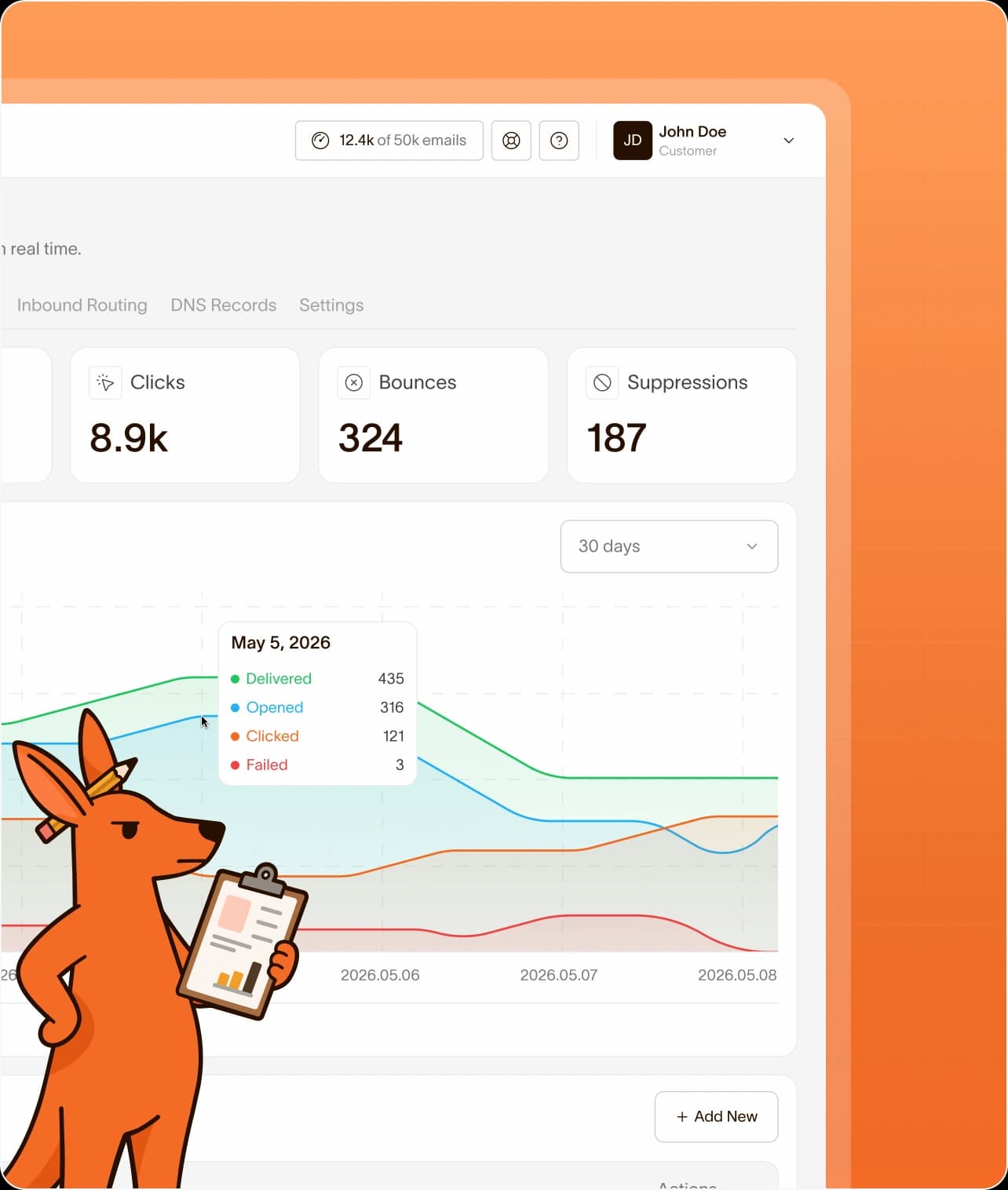
Fourteen days of searchable logs show which machine sent what, when it was delivered, and the reason behind any failure.
 Setup
SetupThree Steps to Working Scan to Email
No agent to install, no firmware to update, no server to stand up in the comms cupboard. Everything happens in the device web interface.
 Fleet Management
One Account,
The Whole Fleet
Whether you manage one office or a few dozen client sites, the structure stays the same: credentials you control, logs you can search, and no surprise per device billing.
Connect Every Device
Without Restrictions
Add as many printers, scanners, and multifunction devices as you need. One global credential keeps things simple, and per device credentials give you isolation when a machine sits in a shared or public space.
Managed service providers can separate clients entirely: each one gets its own sending environment with independent domains, logs, and credentials under a single login and a single invoice.
See Exactly What
Each Machine Sent
Scan to email usually fails silently, which is why nobody notices until an invoice goes missing. Here every attempt is recorded: which device sent it, where it went, whether it was delivered, and the reason if it was not.
Filter by status, recipient, or subject to find one document, resend a failed message from the dashboard, or point a webhook at your helpdesk so failures raise a ticket on their own.
 Device Friendly Pricing
Pay for Emails,
Not for Printers
Most offices never leave the free tier on scanning alone. When application mail and device mail together need more room, plans start at $10 a month for 25,000 emails.

Pick a plan based on how many emails you send each month. You can upgrade, downgrade, or cancel anytime. No lock-in, no hidden fees.
 Includes 2 domains
 Includes Email Testing
 Reviews
Customer-Centric
by Design
We're a small team, which means when you write in, you're talking to someone who works on the product. Startups, agencies, and growing businesses stay with Maileroo because the support is real, the pricing is honest, and the infrastructure holds up.

"I love it as an SMTP service for transactional emails. The app is fast, easy to understand and fully featured, but not overwhelming, and email delivery is super fast and reliable. Just perfect! Every time I needed to request a feature or inquire about something with the team, they responded quickly and satisfactorily, both in their Discord channel and via email."

"I have been a Maileroo customer for almost 2 years now and I am very satisfied: Sending emails is super fast and reliable. The support is great and fast (usually within 1 hour). The interface is functional yet easy to use. You pay much less at Maileroo than at other providers without compromising on quality. In short, a great company to work with as an agency!"

"Using Maileroo for half a year now. Api and its documentation is simple, straightforward and just works. What truly makes the difference is the fast, personal support. Support is always quick to respond and to find a solution. Requests or suggestions are taken seriously and often translated into practical improvements. That level of personal involvement and service is rare and makes Maileroo a solution I can confidently recommend. Experience with mailgun, mailjet, sendgrid, resend and Maileroo takes the cake."

 FAQ
FAQQuestions?
Ports, brands, credentials per device, and what to check when a copier goes quiet: the answers IT teams ask for before rolling this out.
Any device with an SMTP settings page, which covers HP, Canon, Epson, Brother, Xerox, Ricoh, Sharp, Konica Minolta, and Lexmark. We do not maintain a compatibility list because the protocol is the same on all of them.
Use smtp.maileroo.com with port 587 and STARTTLS, plus the SMTP username and password from your dashboard. Firmware that only offers implicit TLS can use port 465, and port 2525 is available where 587 is blocked.
It can be. Point every printer at a single set of credentials for the simplest setup, or issue one credential per device so you can revoke a single machine without touching the rest of the fleet.
There is no device limit and no per printer fee. Plans are priced on how many emails leave your account each month, so five machines and five hundred cost the same at equal volume.
Yes. Verify your domain and send as something like [email protected] so documents look internal. If DNS access is slow to arrange, start on the sandbox domain included with every account.
Attachments pass through for delivery and are not retained as files. Log entries record the sender, recipient, subject, and status for 14 days, which is what you need for auditing without storing the documents themselves.
Yes. The free tier covers 3,000 emails a month, which is more than most offices generate from scanning. Upgrade only if your device mail and application mail together outgrow it.
Look at the logs first. If nothing is recorded, the device never reached us, which usually means a blocked outbound port or a wrong password. If a failure is recorded, the entry names the reason.
 Features
Crafted for a Delightful Email Experience
Everything behind reliable delivery at any volume: sending, verification, routing, and the analytics to see what happened, from first API call to millions a month.

SMTP Relay
Send transactional and bulk emails through reliable SMTP infrastructure built for speed, security, and deliverability.

Email API
Integrate email delivery into your applications using powerful APIs built for flexibility, scalability, and performance.

Streams
Separate transactional and marketing traffic into isolated sending streams to protect reputation and keep critical emails fast.

Inbound Routing
Receive and route incoming emails directly into your applications using flexible automation and processing workflows.

Email Marketing
Create and deliver marketing campaigns designed to increase engagement, reach, and customer retention.

Webhooks
Receive real-time event notifications for deliveries, opens, and clicks for storage and automation workflows.

Analytics
Monitor email performance with detailed insights, reporting tools, and actionable delivery metrics in real time.

Email Testing
Capture, inspect, and validate every message in a safe sandbox, with authentication checks and spam analysis before going into production.

Developer SDKs
Build integrations faster using SDKs, code examples, and resources for modern application development.
